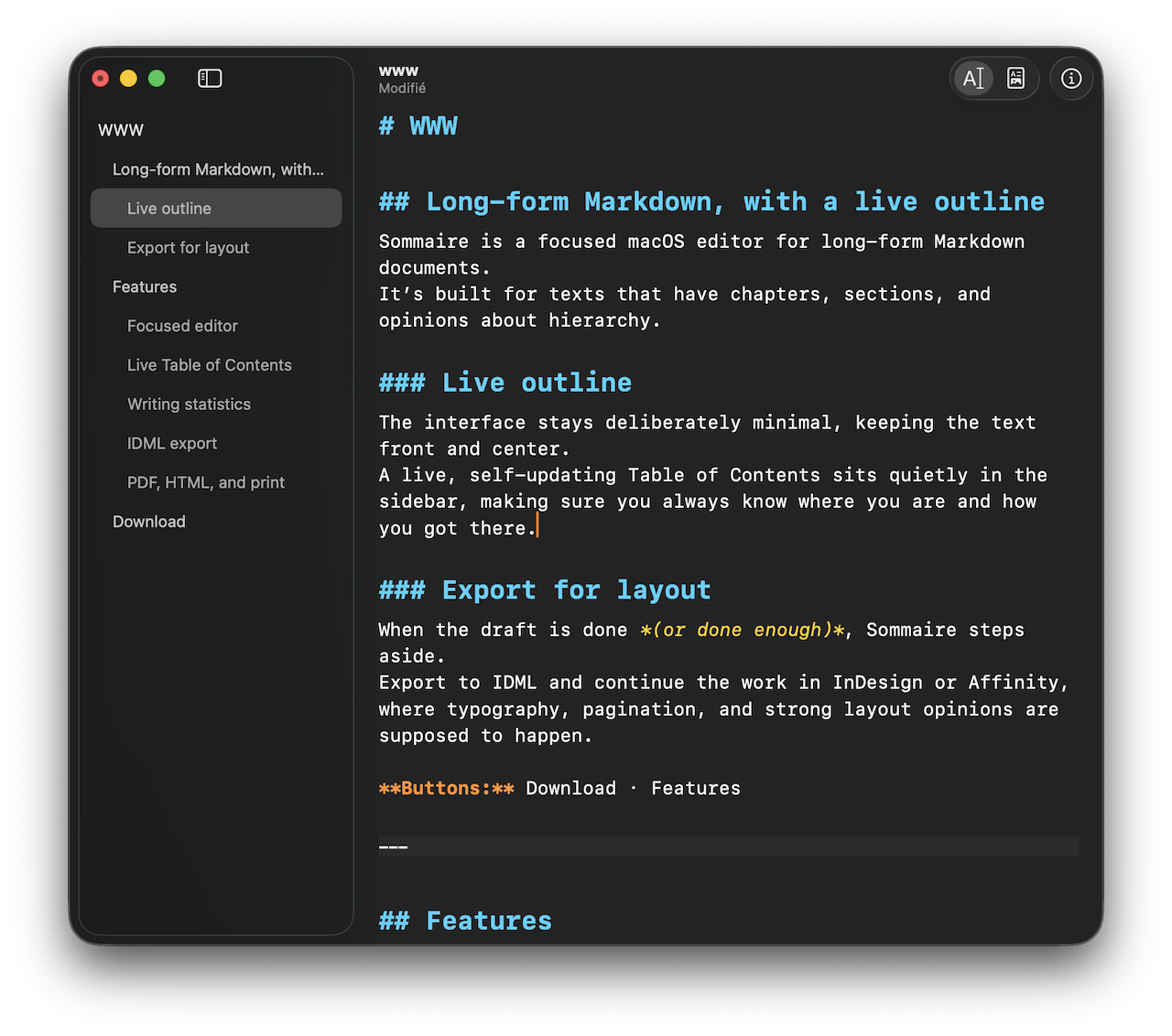
Sommaire est un éditeur macOS natif pour les longs documents Markdown. Il est conçu pour les textes qui ont des chapitres, des sections et des opinions sur la structure.
L'interface reste délibérément minimale, gardant le texte au premier plan.
Une table des matières, mise à jour en temps réel, se tient discrètement dans la barre latérale : elle vous indique en permanence où vous êtes et par où vous êtes passé.
Quand le brouillon est terminé (ou suffisamment fini), Sommaire s’efface.
C'est là que les outils de mise en page prennent le relai.
Fonctionnalités
Sommaire est minimal par conception : écrire sans interruption, garder la structure visible, et naviguer entre les chapitres sans perdre ni le fil — ni patience.
Éditeur focalisé — Peu de choses à cliquer. Beaucoup à écrire.
Une surface d’édition orientée texte, pensée pour l’écriture au long cours.
Aucun habillage superflu, aucune distraction, aucun gadget malin. Oui, c’est « juste » un éditeur. C’est précisément le but.
Coloration syntaxique — Pour lire sans froncer les sourcils
Sommaire met en valeur le Markdown directement dans le texte, sans transformer votre document en aperçu ni en démonstration.
La syntaxe est colorée et légèrement indentée : la structure se lit immédiatement, tandis que les mots gardent leur autorité.
Titres, listes, citations, emphases, liens et blocs de code sont distingués juste ce qu’il faut pour être utiles — sans vous obliger à traquer des #, des * ou des backticks égarés.
Rien ne se replie. Rien ne se cache. Rien ne surgit pour vous surprendre.
Vous éditez toujours le texte source. Vous n’avez simplement plus à le décoder mentalement en même temps que vous réfléchissez.
Table des matières en direct — Pour toujours savoir où l’on est
Un plan toujours à jour dans la barre latérale.
Un clic pour aller n'importe où, sans naviguer à tâtons.
Conçu pour les livres, les rapports, la documentation technique, les chapitres et les notes qui ont commencé petit et sont devenues incontrôlables.
Statistiques d’écriture — Pour celles et ceux qui aiment savoir
Des statistiques en temps réel pendant la frappe : nombre de mots, de caractères, indicateurs de lisibilité et autres chiffres qui vous jugent en silence.
Vous pouvez les ignorer. Elles ne le prendront pas mal.
Export IDML — Pour le travail de mise en page
Sommaire traite l'exportation IDML comme une partie essentielle du flux de travail, et non comme une réflexion après coup. Le Markdown structuré est remis proprement aux outils de mise en page professionnels.
Les titres deviennent des styles de paragraphe sémantiques
Les paragraphes, les liens, l'accentuation et les citations sont conservés
Aucune décision visuelle n'est intégrée dans le texte
Prêt pour InDesign ou Affinity, sans nettoyage
La typographie, la pagination et les opinions fortes sur les marges appartiennent aux outils de mise en page. Sommaire sait quand se faire discret.
PDF, HTML et impression — Pour tout le reste
Bien entendu, Sommaire exporte aussi en PDF et HTML, et permet l’impression directe.
Ces formats respectent la structure du document et peuvent inclure une table des matières générée, pour que le plan accompagne le texte.
Téléchargement
Sommaire est distribué via le Mac App Store.
Pas d’installateurs, pas d’archives, pas d’aventures palpitantes en ligne de commande.